We do the thinking.
You do the approving.

Most email tools give you a blank canvas and say "figure it out." We suggest what to send, when to send it, and write it for you.

1
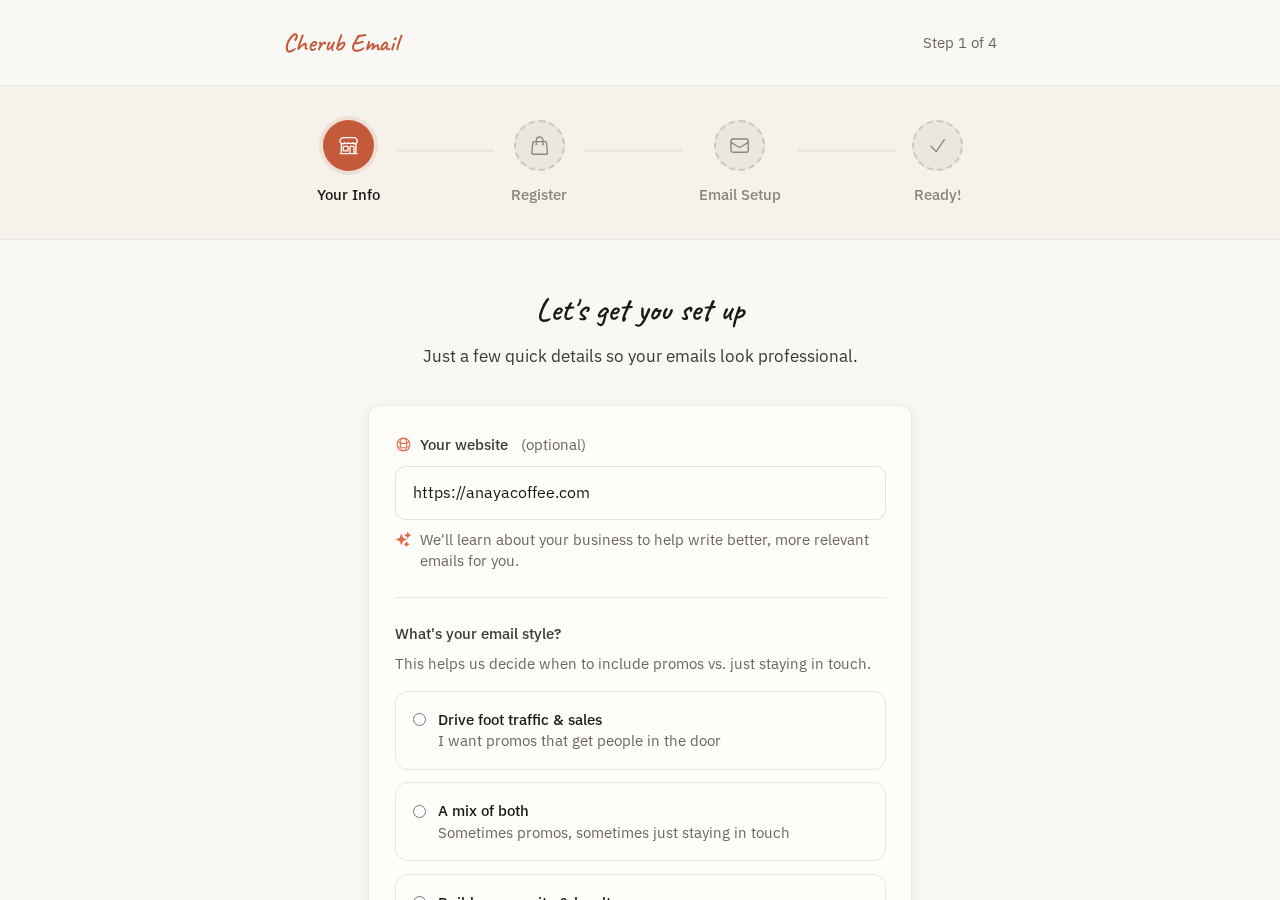
Cherub Email onboarding screen

Connect Your Business

Answer a few questions and connect your POS. Takes about 5 minutes.

2
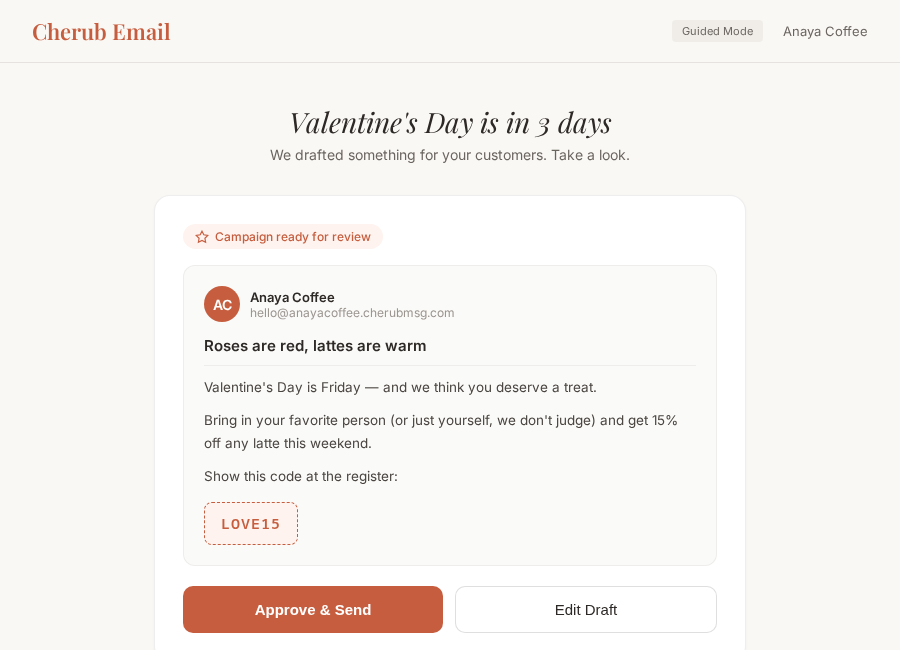
Campaign suggestion draft ready for review

We Suggest Campaigns

We draft it. You review it.

3
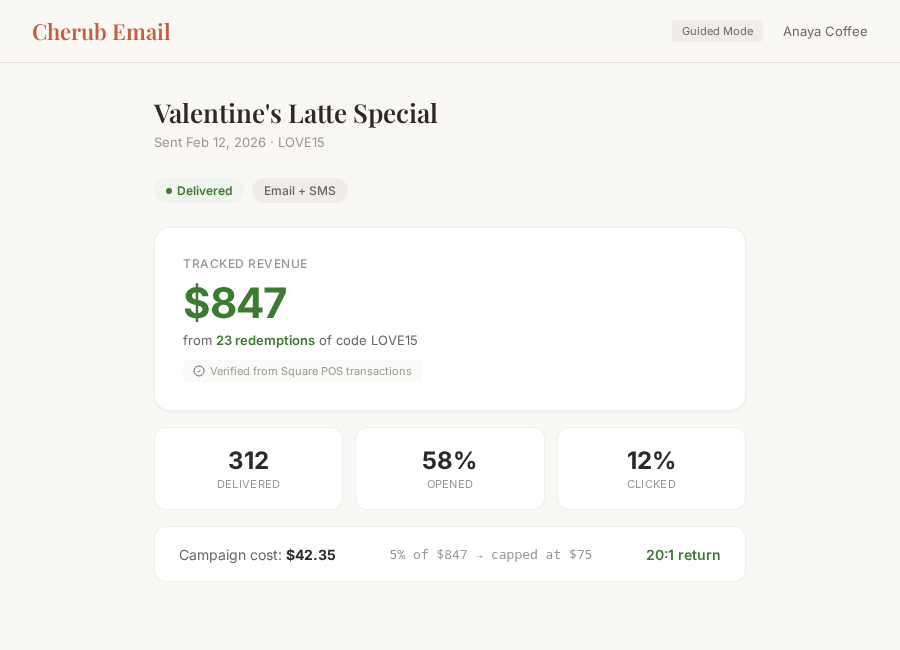
Campaign results showing real revenue from POS

Approve and Send

One tap. Done.

See what we'd send for your business

Pick your business type and an upcoming event. We'll show you what a Cherub campaign looks like.

Pick your business and event to see a preview

Building your list

We make it easy for customers to sign up.

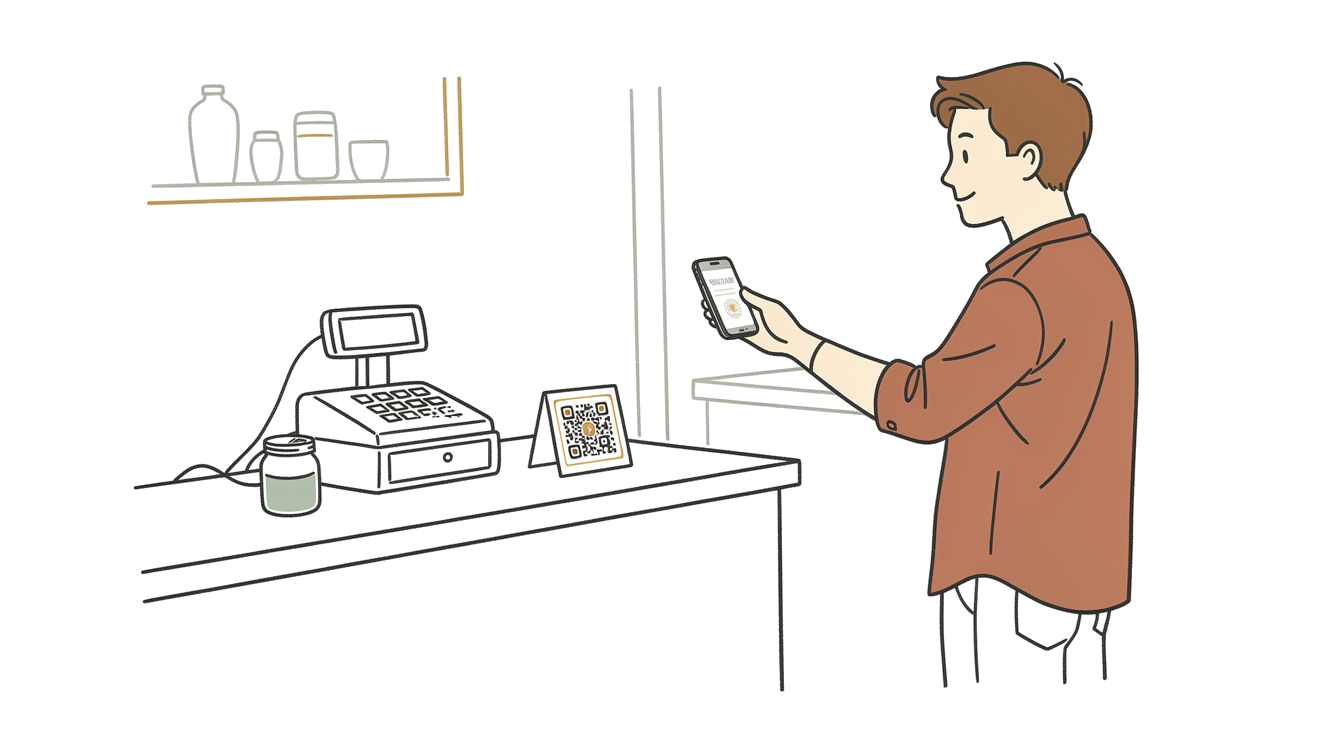
Customer at a counter scanning a QR code with their phone

QR Code Sign-Up

Print a QR code for your counter, table tent, or receipt. Customers scan with their phone, tap to send a quick email, and they're on your list. No app needed.

Import Existing Lists

Already have a customer list? Import it. We'll verify emails for deliverability and clean out invalid addresses so you're not paying to send to dead emails.

Double opt-in by default

New subscribers confirm their email before they're added. This keeps your list clean and your deliverability high.

Pick how hands-on you want to be

Guided Mode

Answer a few questions, we do the rest

Step-by-step flows that walk you through everything. Pick your offer, approve the draft, send. No dashboard to figure out.

  • Simplified campaign creation
  • Step-by-step subscriber setup
  • Fewer decisions, same results
Pro Mode

More control, same simplicity

Full dashboard with metrics, campaign history, and advanced options. Still simple—just more visibility into what's happening.

  • Campaign performance metrics
  • Subscriber management
  • Revenue tracking dashboard

Switch between modes anytime. No features locked behind either one.

Common questions

Do I have to use your suggestions?
Nope. Every suggestion is just that—a suggestion. You can edit it, ignore it, or write your own from scratch. We're here to make it easy, not to take over.
How does Cherub know my business voice?
When you sign up, we learn about your business from your website and your POS product catalog. Over time, the more you edit and approve, the better we get at matching your tone.
Can I write my own email instead?
Absolutely. You can start from our suggestion or start from a blank page. The WYSIWYG editor makes it easy to write and format without touching any code.
How long does setup take?
About 5 minutes. Create an account, tell us your website, connect your POS (Square, Clover, Shopify, or Mindbody). That's it. We'll have your first suggestion ready shortly after.

Ready to stop thinking about email?

Connect your POS and we'll start watching your calendar. We handle the when, what, and how.

Get Started Free